Random Run 3.0 Is Made for iPhone Duo
Most apps haven't caught up with iPhone Duo yet. Open the phone and you get the same narrow column stretched across a bigger screen, or a layout that runs straight through the fold. That's a shame, because a route app is exactly what a big screen is for.
Random Run 3.0 is built for iPhone Duo, open, closed, and anywhere in between. Every screen was reworked for it, and Duo owners tested it on real runs before it went out.
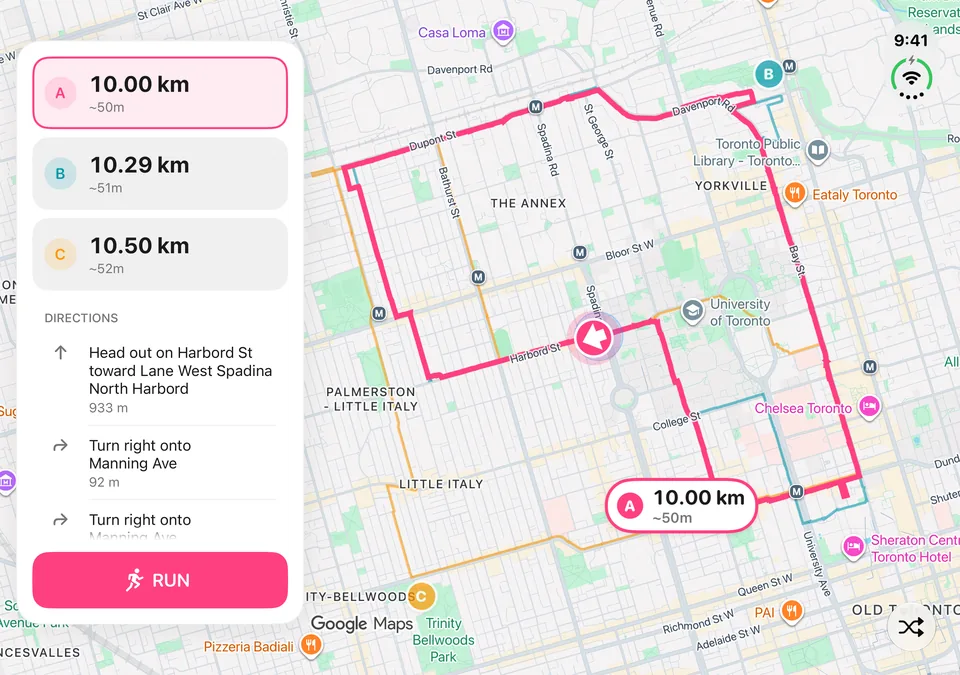
Open: the map gets the room
Route shapes are what you choose by, so on the open screen the map takes about two-thirds of the display and the controls sit in a column beside it. Each route has its distance and time labelled right on its line, so you don't have to match a coloured row to a coloured squiggle. Under the routes, the turn-by-turn directions for the one you've picked are already listed, so you can see how it goes before you take a step.
Picking a start point got better too. On a phone it opens a smaller map in a sheet. On the open Duo you're already looking at a big map, so you just tap it, or drag the pin, wherever you want the run to start.
Folded halfway: nothing across the hinge
Stand it up like a book and the controls take one half while the map takes the other. Tip it like a laptop and the map sits on top with the controls below. Either way, no button, route label, or turn banner ever lands on the fold. And the controls stay on the same side on every screen, flat or folded, so they never jump out from under your thumb when you tap Run.
Closed: one hand, full-screen map
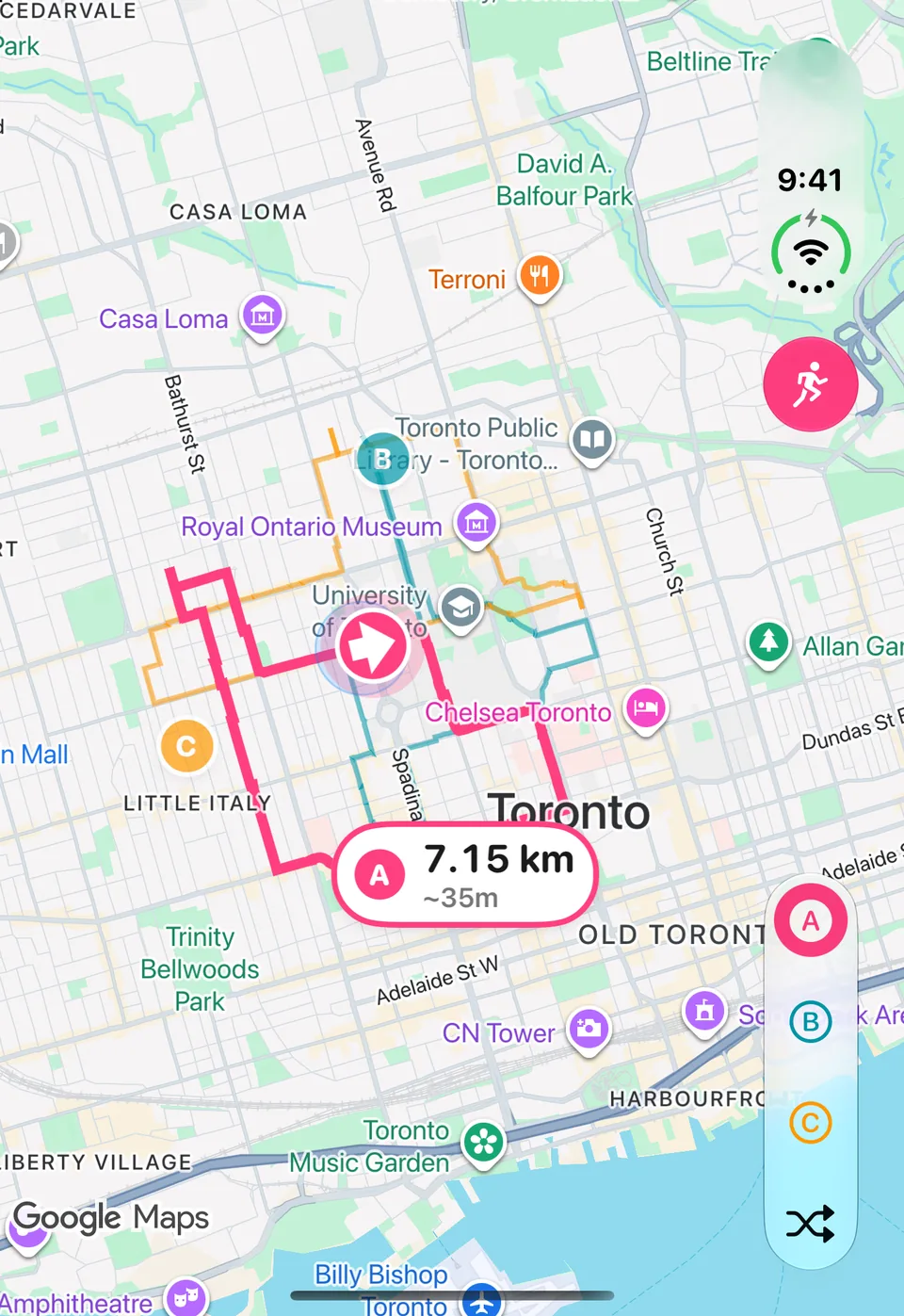
The outer screen is small, so we don't try to squeeze the big layout onto it. The map fills the whole screen, routes A, B and C move into the side bar along with shuffle, and Run sits right at the top. The route you've picked is labelled on the map in big, easy-to-read type, and the others get a letter you can tap. It works the same in portrait or on its side.
Out on the run
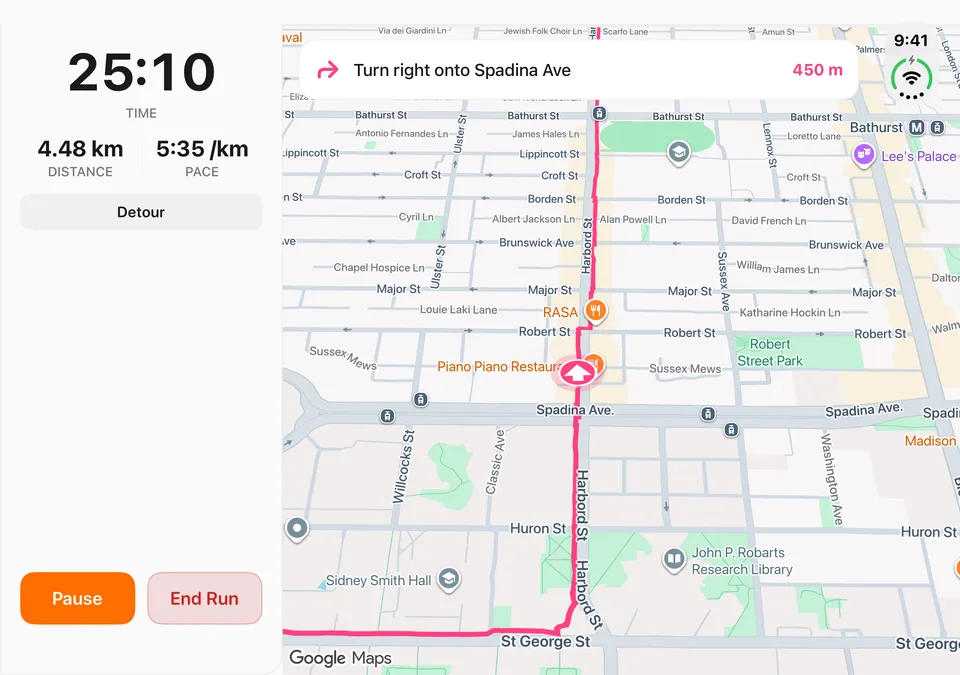
Open, your time, distance, and pace sit in a column beside the map, with the next turn in a banner across the top. Closed, the next turn sits on top of the map and your stats sit underneath, and your Live Activity is there on the Lock Screen. You can open or close the phone at any point, even mid-run, and the layout follows. Ending a run always asks first, so a stray tap won't cut your run short.
Still free
Random Run 3.0 is a free update on the App Store, for iPhone, iPhone Duo, and Apple Watch. No account, no ads, and we never see your location. If you've got a Duo, open it up and take it out for a run, and tell us how it feels.