 Random Run
 Go for a Walk
Tell BikeRight where you're going and it builds the route around protected lanes, quiet streets, and your city's real cycling infrastructure — then keeps your eyes on the road while you ride.
Download on the App Store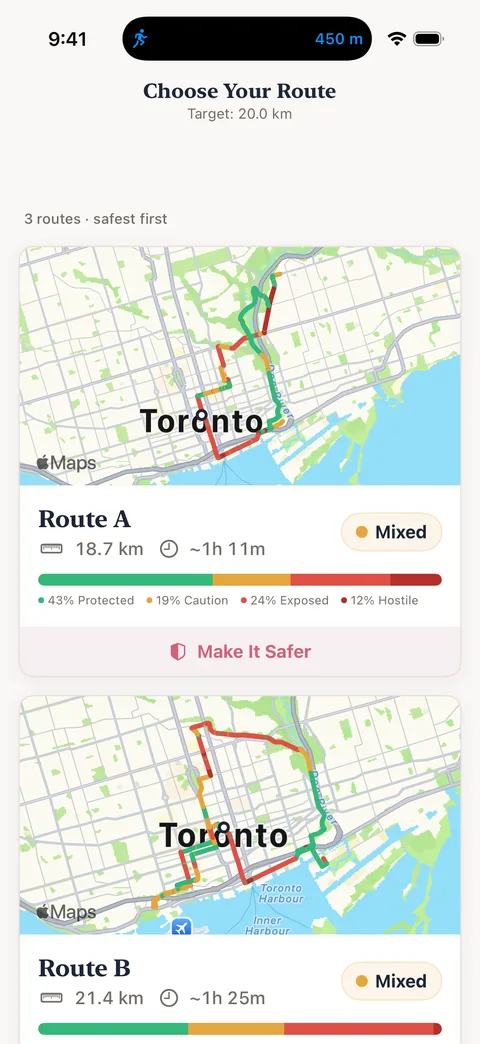
Every route comes with a safety score and a full breakdown: how much is protected bike lane, how much is shared road, and where the gaps are. You see it all before you ride, and feel it on your wrist once you're rolling.
Google Maps finds the fastest route. BikeRight finds the one where you're not sharing a lane with delivery trucks.
Enter where you're headed, whether that's work, a friend's place, or the other side of town, and BikeRight does the rest.
Every route comes with a safety score: how much is protected bike lane, how much is shared road, and where the gaps are.
Your watch taps out every turn, and each segment's safety too, so your eyes stay on the road and your hands stay on the bars.
Same commute, better streets. See the safety breakdown for your daily ride — or find a better one you didn't know existed.
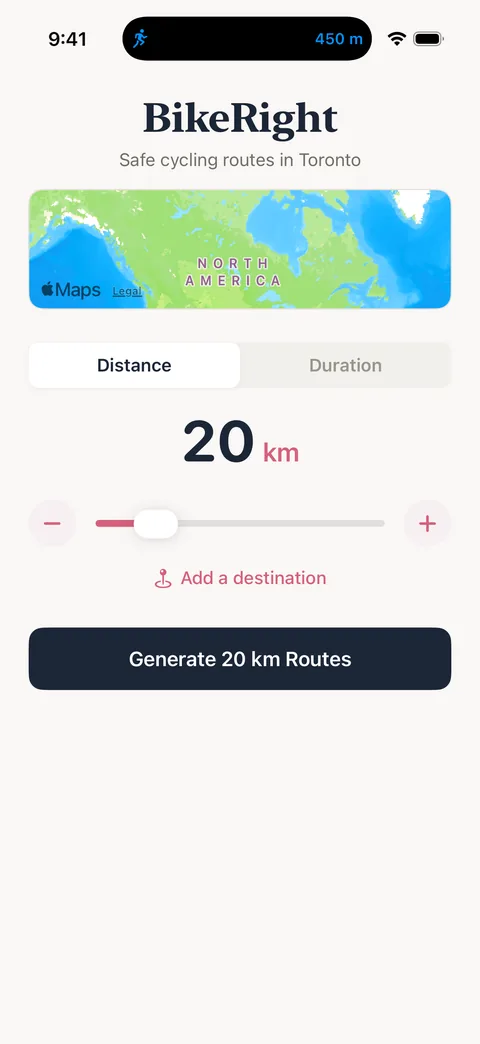
Enter where you're headed or set a distance for a loop.
Each route is scored and ranked, so the safest option is easy to spot.
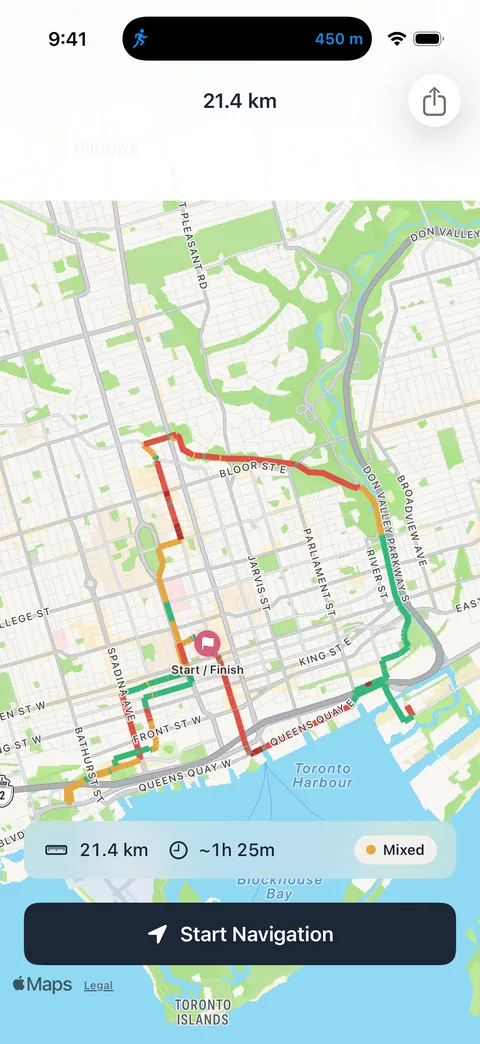
Green means protected, yellow means shared. You see the whole picture before you go.
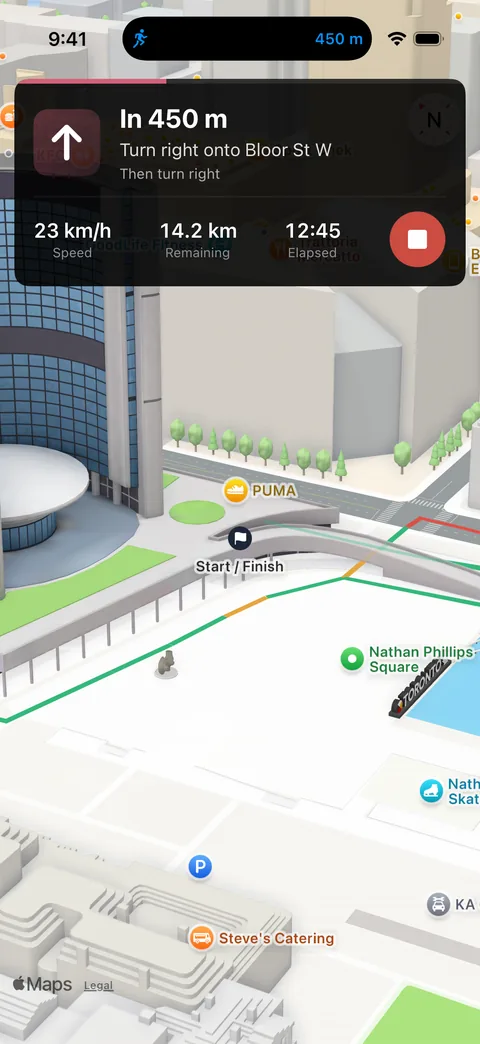
Speed, distance, and time, right up front.
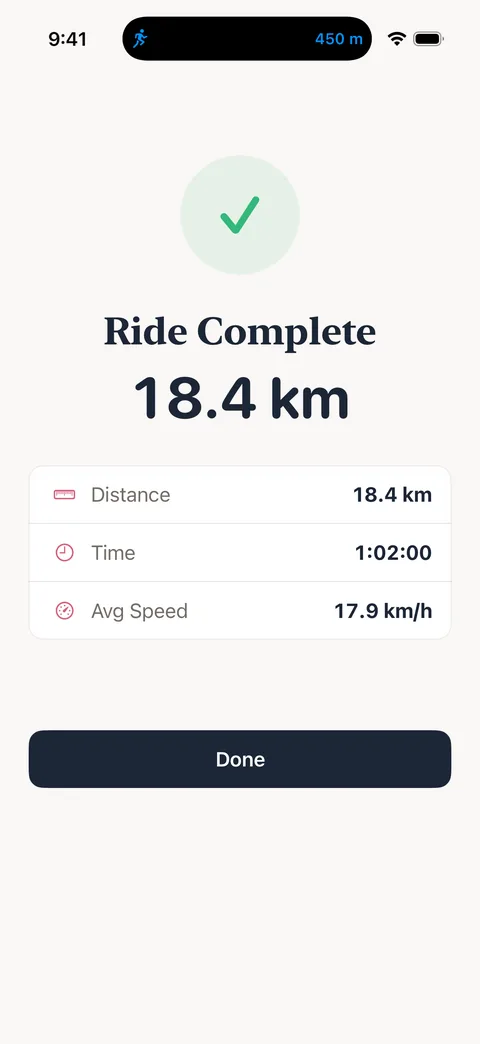
Distance, time, and average speed when you get home.
No destination in mind? Set a distance and get a loop scored the same way, built around your city's best cycling infrastructure.
Pulling out a phone at every intersection means your eyes are on a screen instead of on traffic. BikeRight is built so you don't have to look down.
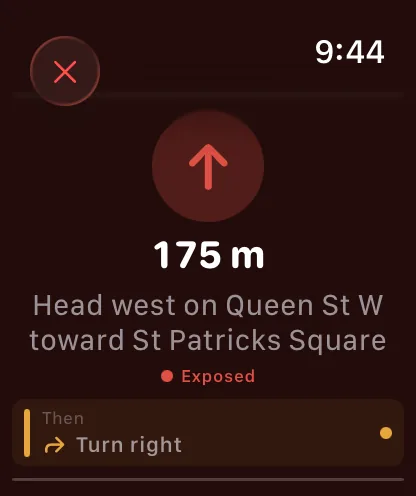
BikeRight on Apple Watch taps your wrist as each new segment begins: once for a protected lane, twice for shared, three times for unprotected, and a pair of four-taps when the street is rough enough that you might want to look up. It's the same safety breakdown you saw on the map, delivered while you ride.
Turns work the same way, with one tap pattern for left and another for right. The rhythm becomes second nature after a ride or two.
There's no screen to check and no reason to glance down.
Standalone app. Works without your phone. Apple Watch Series 6 and later.
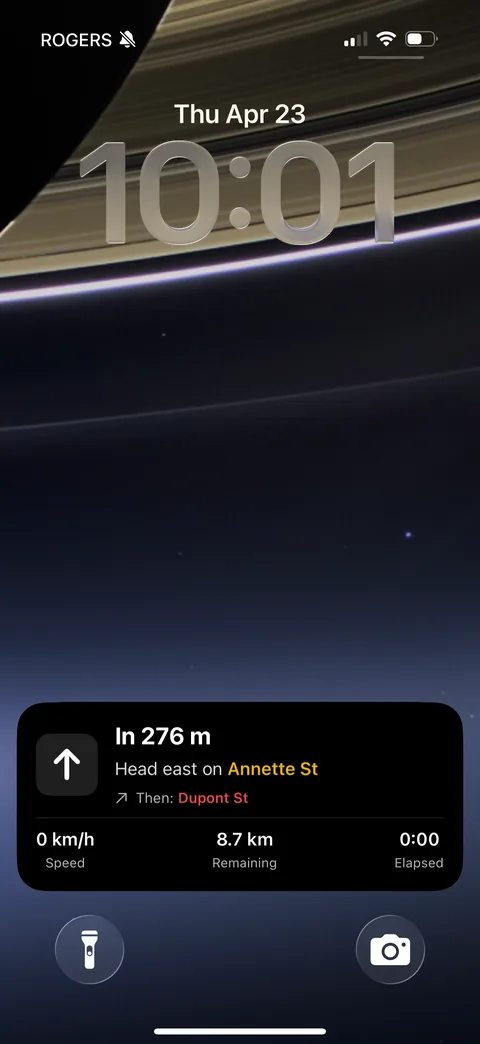
Your next turn, the distance to it, and the current segment's safety stay visible on the Lock Screen as a Live Activity, and the Dynamic Island keeps the turn in view even while you take a call or change music.
One less reason to take a hand off the bars.
No account. No tracking. No ads.
Your location never leaves your phone. Open the app and go.
One-way trips to any destination, scored by safety. Plus a standalone Apple Watch app with haptic turn-by-turn navigation.
BikeRight now has a blog for updates and release notes — plus corrected App Store links and a favicon fix.
Beta testing is done. BikeRight is now available to everyone, with Live Activities and Dynamic Island support.
Yes, completely free. There are no subscriptions, in-app purchases, or ads, and everything, including the Apple Watch app and destination mode, is included.
Each segment of a route is checked against OpenStreetMap's cycling infrastructure data and classified as a protected bike lane, multi-use path, shared road, or unprotected street. Those segments roll up into an overall safety score for the route, so the safest option is easy to spot.
No. Route generation and safety scoring happen entirely on your device, and your GPS coordinates are never sent to our servers (we don't have any). There are no analytics, accounts, or tracking.
Yes. BikeRight has a standalone Apple Watch app that uses haptic taps on your wrist for two things:
The point is that you never have to check a screen mid-ride. The safety breakdown you saw on the map is the same one you feel on the road.
Yes. If you ride with your phone in a handlebar mount, a Live Activity keeps your next turn, the distance to it, and the current segment's safety on the Lock Screen. The Dynamic Island shows the turn even when another app is open, so you don't need to touch the phone mid-ride.
Yes. Tap "Add a destination" on the home screen, enter an address, and BikeRight finds multiple routes, each scored and ranked by safety.
Not yet. BikeRight is iOS only for now, but if you'd like an Android version, let us know — knowing people want it helps us decide what to build next.
Our apps are iOS only for now. If you're on Android and want them, send us a note — knowing people are waiting helps us plan what comes next.